How to make Briefing Docs with Nouswise

Tired of spending hours sifting through documents, reports, and research just to create a clean, concise briefing for your team, client, or your boss?
Imagine uploading your sources once and getting a perfectly structured, citation-backed briefing document in seconds, grounded 100% in your trusted materials, with zero hallucinations.
That’s exactly what Nouswise delivers. I’ve tested dozens of AI tools, and Nouswise stands out as the secure, enterprise-grade alternative to generic chatbots. It’s built for serious work: think World Bank-level insights without the risk.

The best part? It’s completely free to start, and it offers enterprise-grade data security. This includes encryption at rest and in transit, SOC 1 & SOC 2 compliance, and even on-premises options for handling ultra-sensitive data. No more worrying about your confidential files being leaked into public AI models.
Why Nouswise Is a Game-Changer for Briefing Docs
Before we dive in, here’s why this tool beats the competition:
Verifiable AI answers — Every insight comes with real-time citations from your sources only.
Agentic intelligence — Multiple AI agents cross-check facts so you get comprehensive, conflict-free results.
Data security first — Your uploads stay private, encrypted, and compliant. Perfect for regulated industries or sensitive projects.
Free to use — Jump in with zero cost for basic features
Bonus superpower — nouswise can turn any briefing into a short AI-generated video recap of two experts discussing the key points (Visual Recap feature).
Ready to level up your briefings? Let’s walk through the exact step-by-step process.
Step-by-Step: Generate a Briefing Doc with Nouswise.com
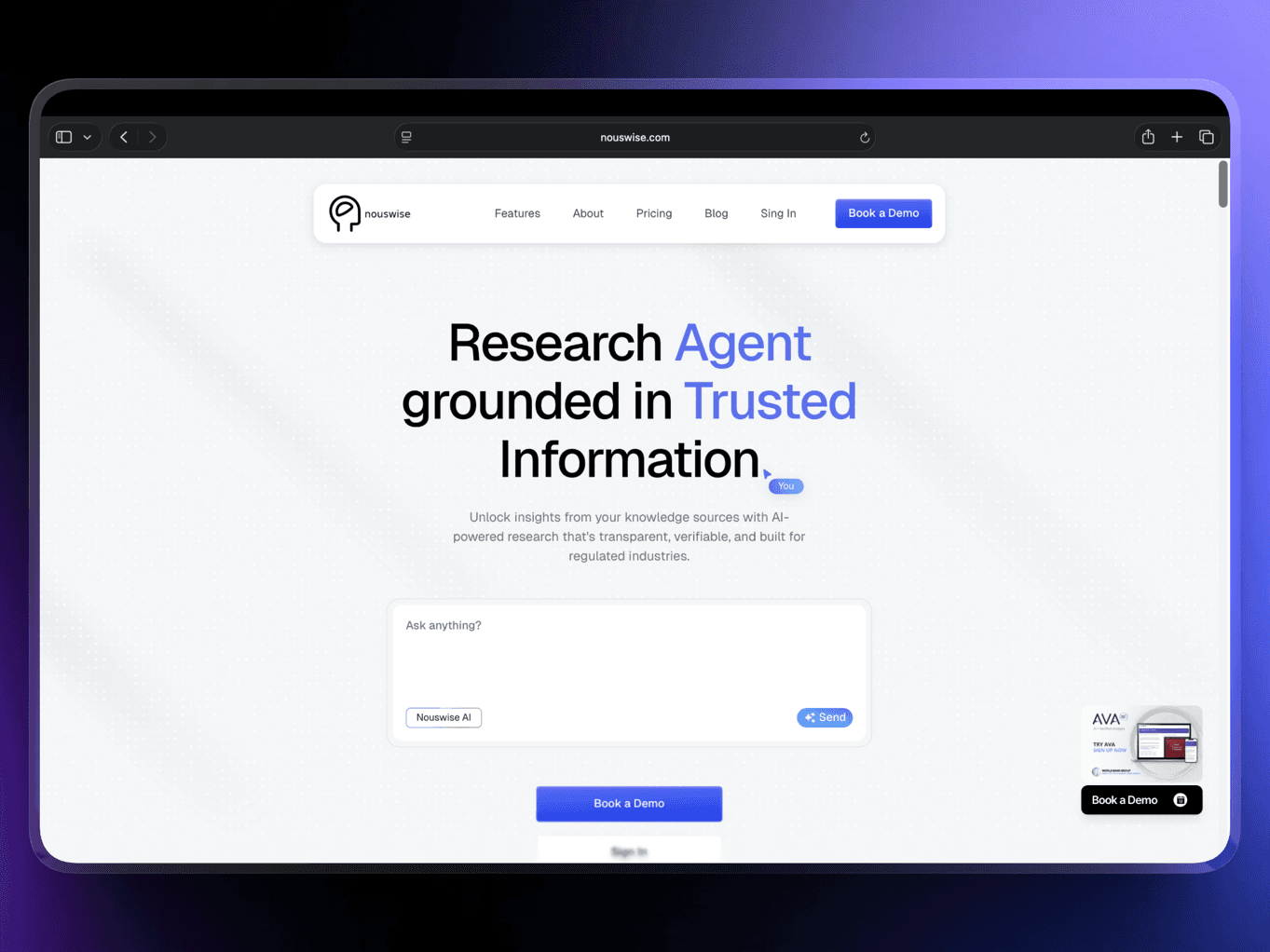
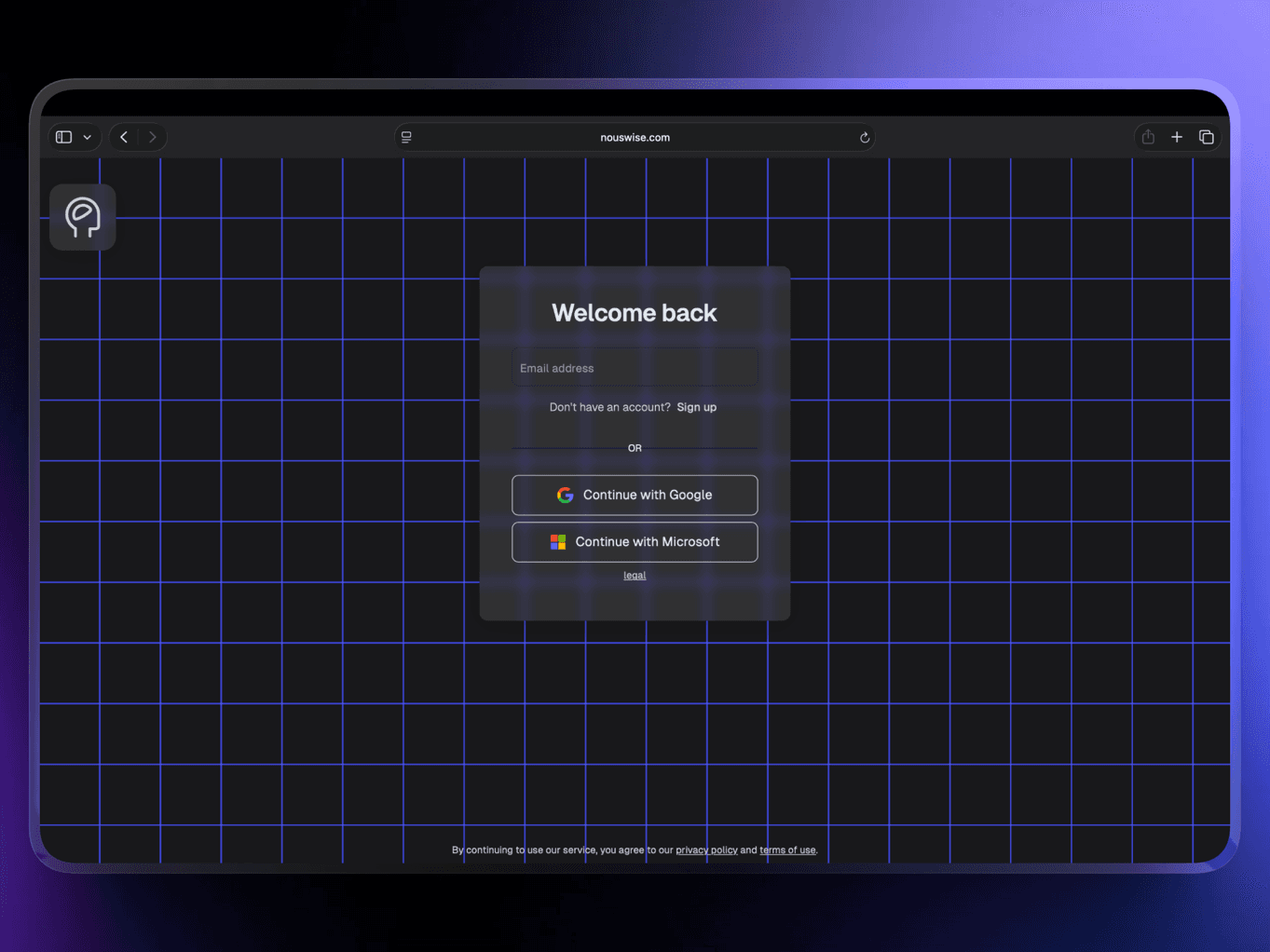
Step 1: Sign Up for Free - Visit nouswise.com and click on “Sign in” that will direct you to sign-up account. You can use your work email for instant access, and no credit card or payment is required.
You’ll land in a clean dashboard that feels intuitive from the first click.
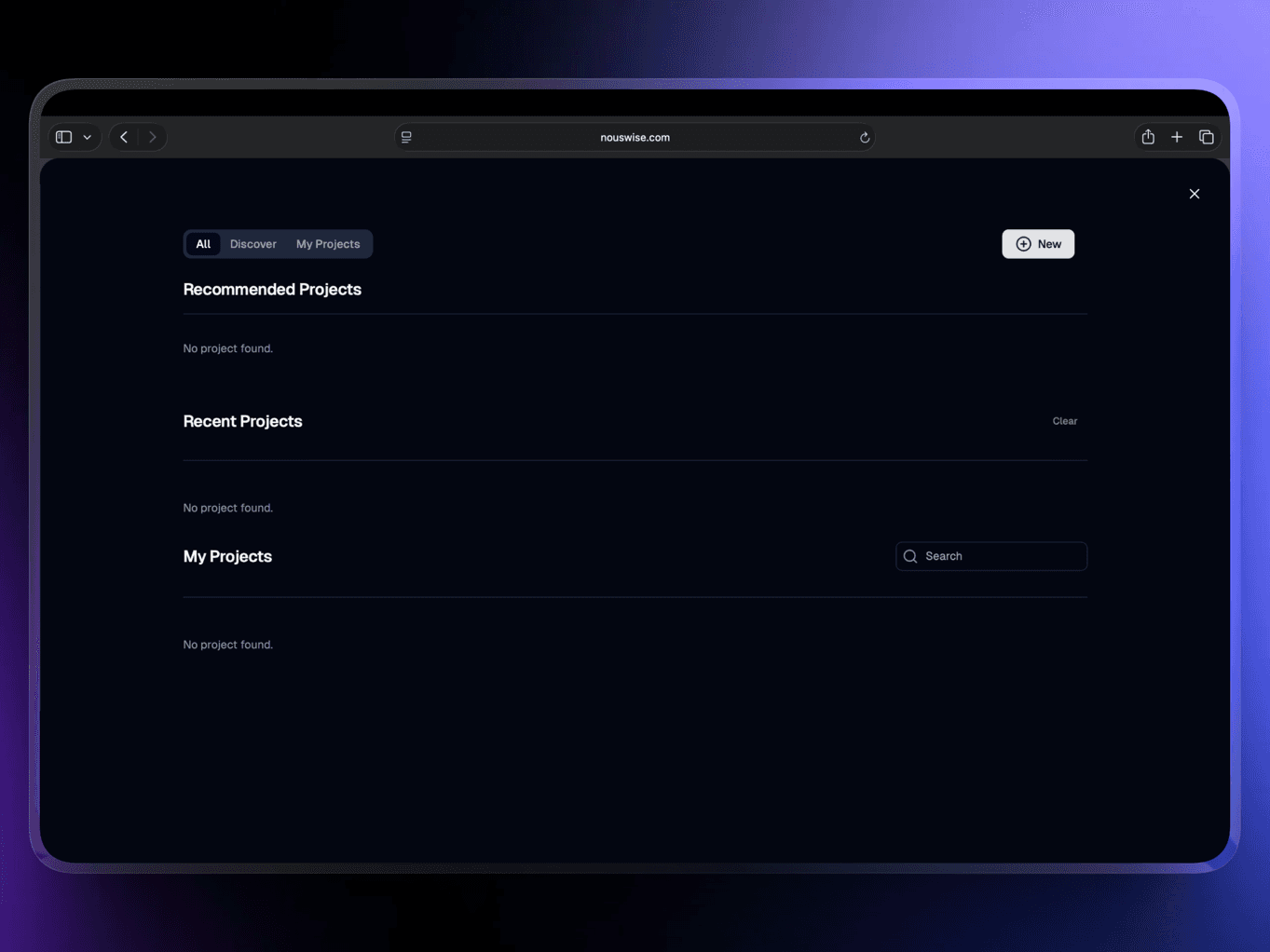
Step 2: Create a New Project and Upload Your Sources. Click the Home icon (top left) and select “Projects” then click “New”.
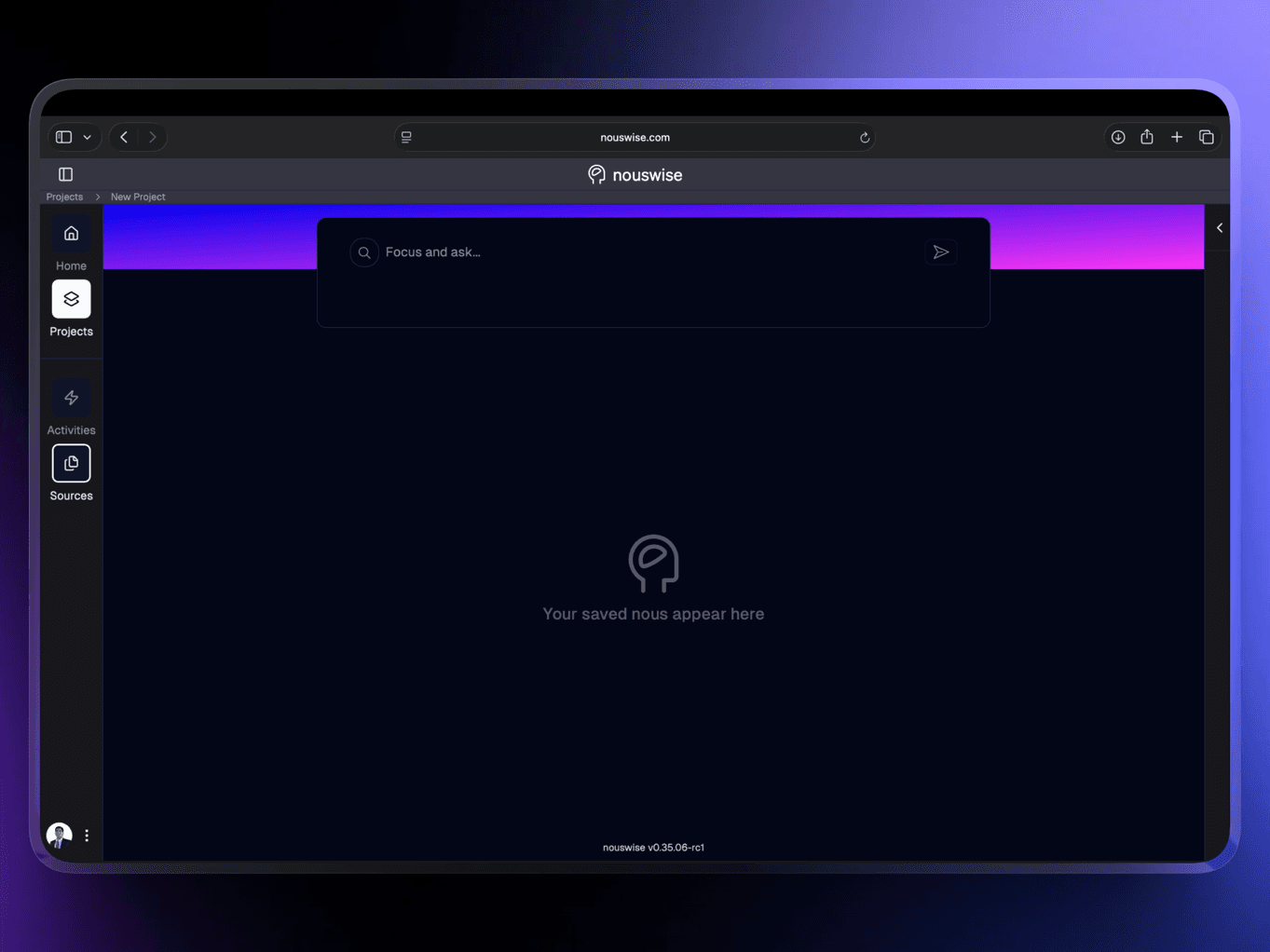
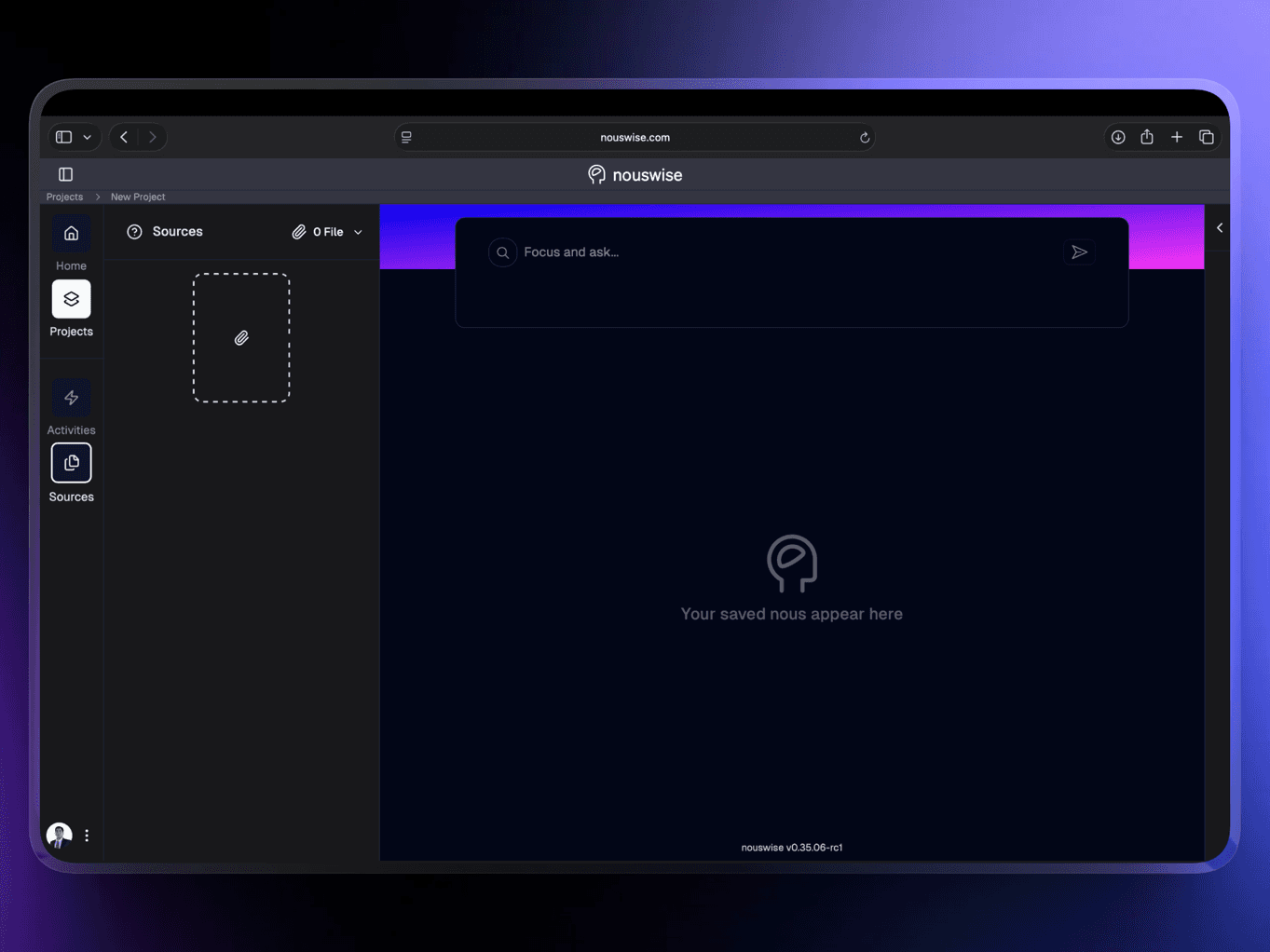
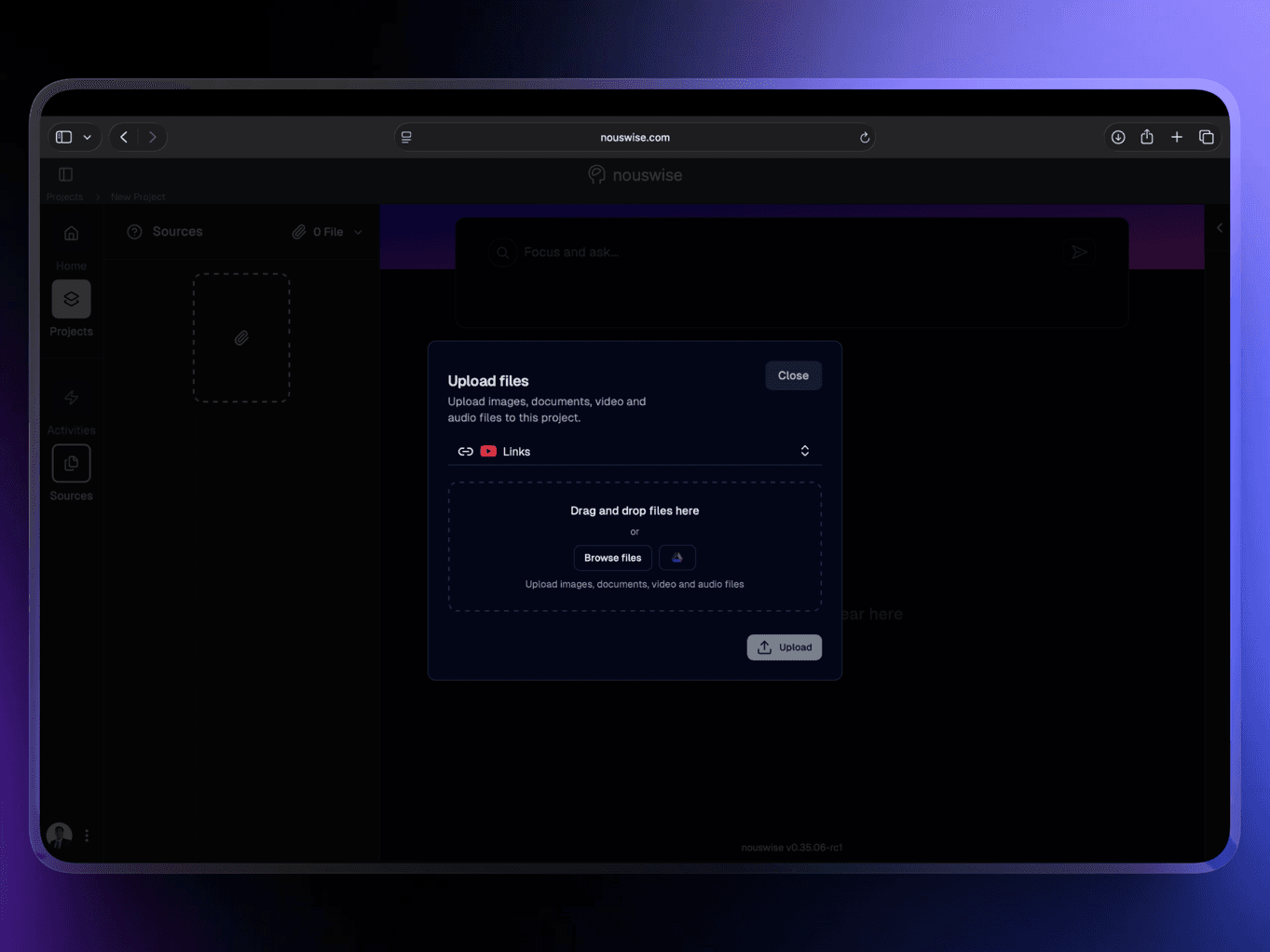
Now, add your project’s source by dragging and dropping your PDFs, Word documents, spreadsheets, images, or even Google Drive files. Nouswise can handle OCR, tables, graphs, and more.
Step 3: Go to Activities and Generate Instant Briefing Doc Once your sources are uploaded, navigate to the Activities section (clearly visible in the project menu or sidebar in the new interface).
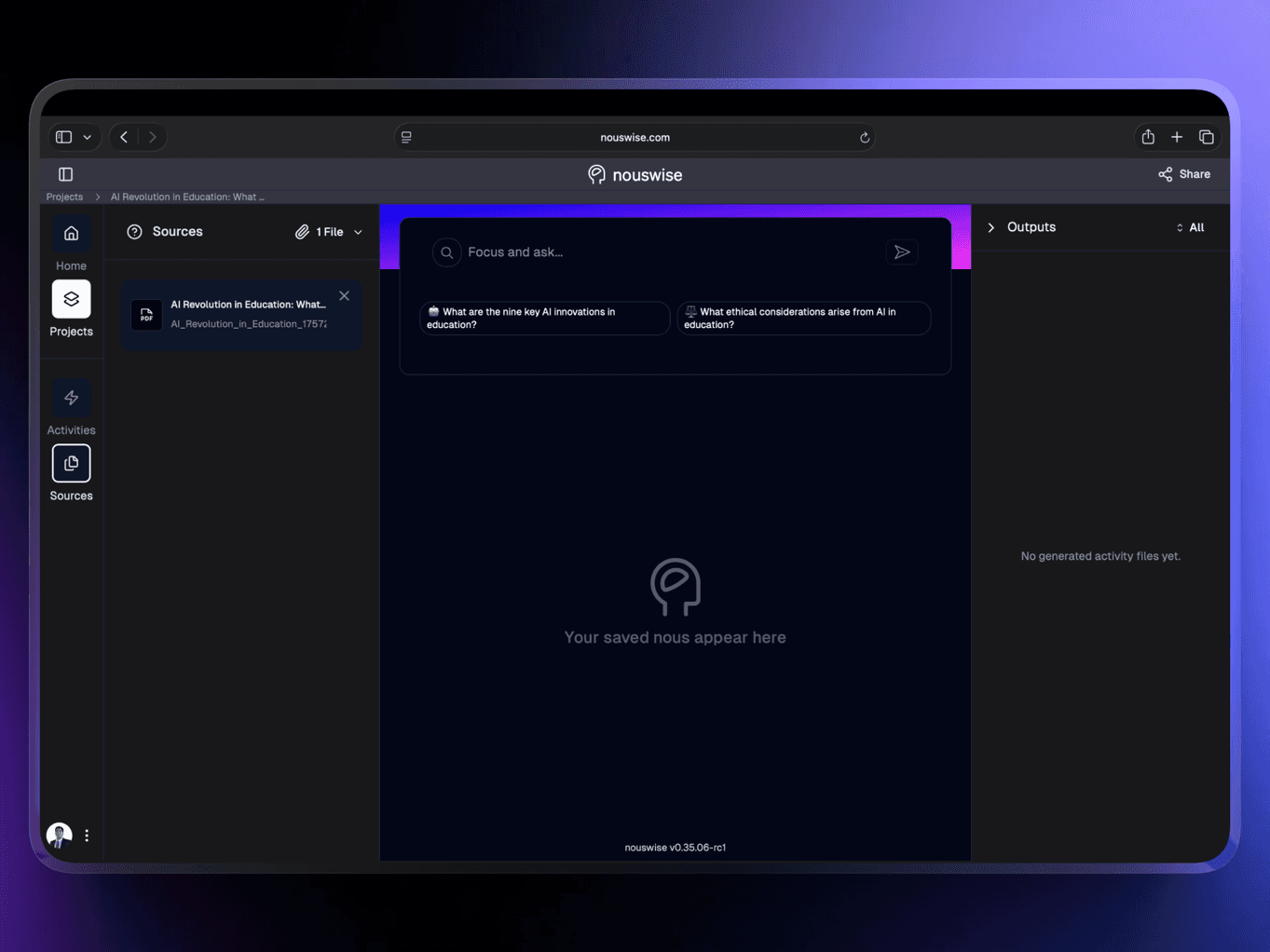
Here you’ll find the powerful Instant Briefing Doc option. Click it to trigger an AI-generated briefing automatically based on your uploaded library.
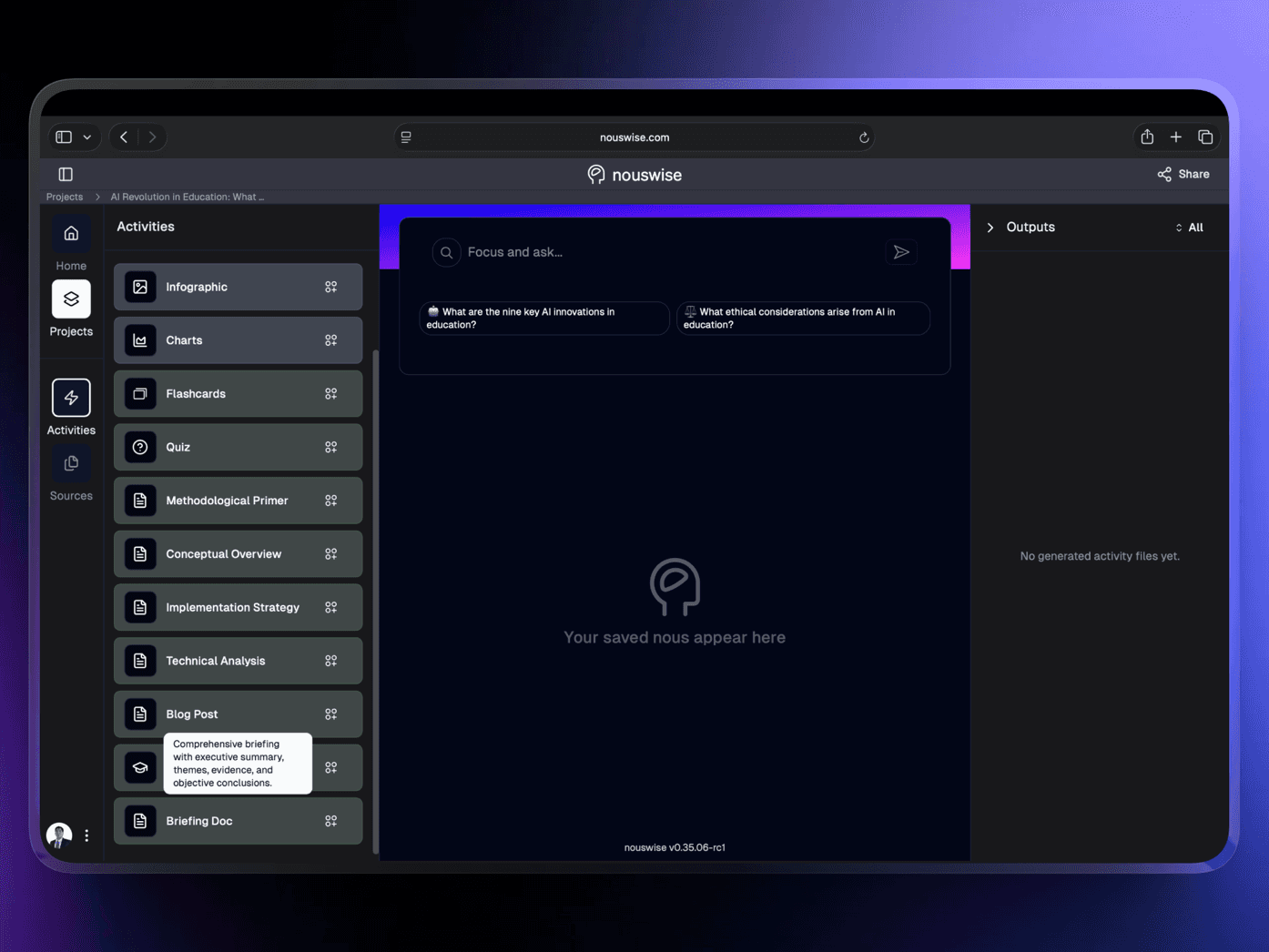
This new feature is a significant time-saver. It intelligently analyzes all your sources and generates a well-structured document without requiring a lengthy custom prompt.
Step 4: Customize & Focus the Briefing – In case you want to refine the output, you can write a prompt in the custom prompt box. For example, you could write something like this:
“Make this executive-friendly by adding an Executive Summary, Key Insights, Action Items, Risks & Opportunities, and ensuring it remains under 2 pages.”
Then click “Run Action” The agentic system will instantly generate the briefing doc with citations. This approach, combining custom prompts, offers the best of both worlds: speed and precision.
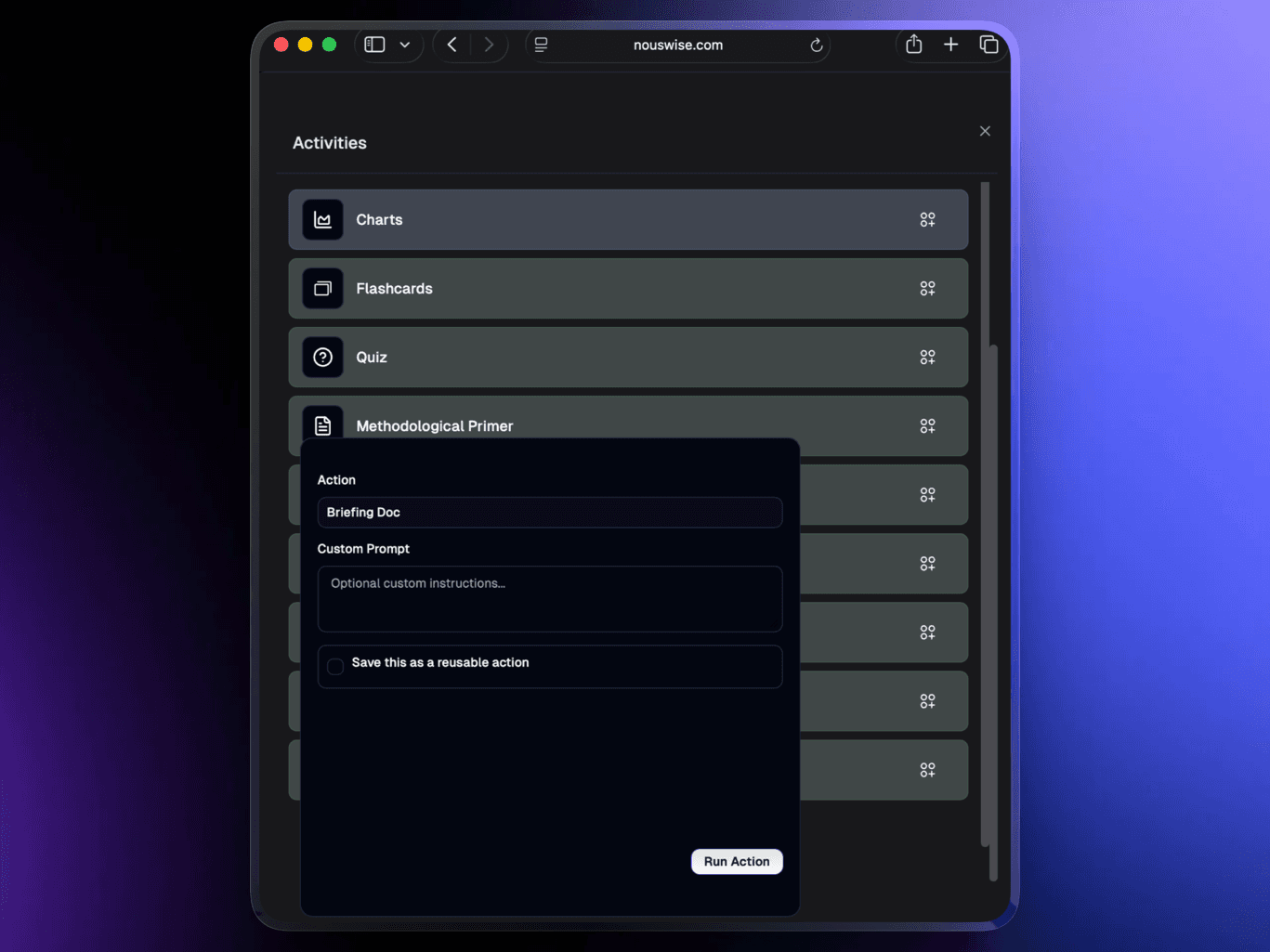
Step 5: Review, Export & Share
Review the briefing doc output with clickable citations.
You can download it as PDF or word, copy to clipboard, or share directly the project with your team.
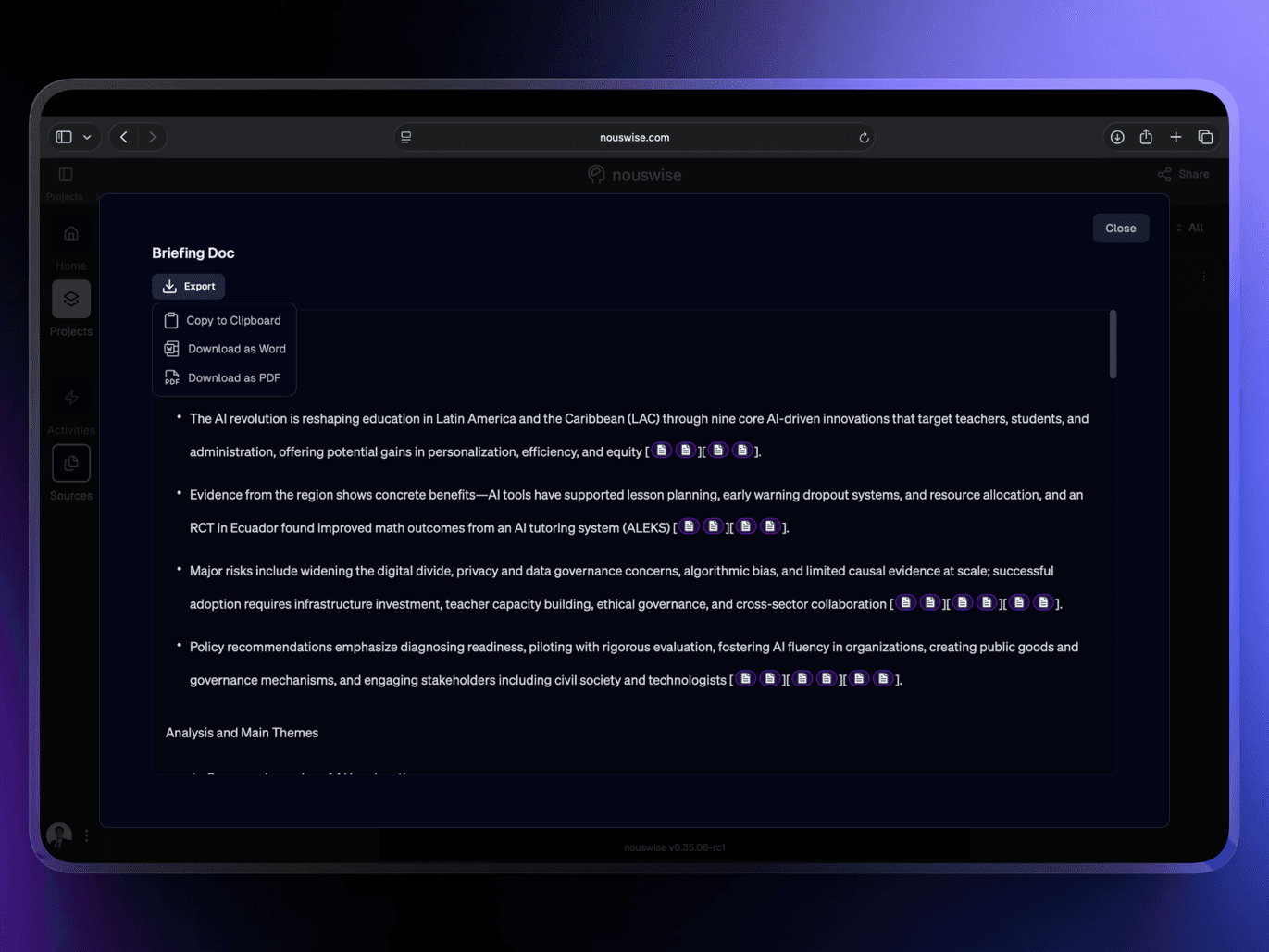
See the Difference Right Away!
Teams using Nouswise are reporting a significant reduction in briefing time, from hours to minutes, while also boosting trust and clarity. This is because everything is backed by verifiable information sourced directly from their documents.
With the Nouswise’s Activities → Briefing Doc, you can now achieve faster results than ever before.
Ready to make Briefings like a pro?
Say goodbye to manual summaries and the uncertainty of generic AI tools.
Sign up for free today and create your first professional briefing in just a minute.
Written by:

Joaquin J. Panaligan
Business Developer
Share with friends: